
Email Surveys: How to Create, Send, and Embed Surveys That Actually Get Responses

The average email survey sees a ~15% response rate. That sounds decent until you realize 70% of the people who click a survey link never finish it. They leave their inbox, the page loads (or doesn’t), and they're gone.
The range within email surveys is massive. A linked survey (click through to Typeform or SurveyMonkey) typically gets 5-15% completion among openers. A fully embedded survey that subscribers complete inside their inbox can hit 85-95%. Same channel, same audience. The difference is friction.
This guide breaks down each approach: how to create email surveys, which delivery method fits your goal, what response rates to expect, and the best practices that move the needle for ecommerce brands.
Inside this page
Share this
Summarize with AI
Key Takeaways
Three forms of email surveys exist: linked, single-question embed, and full embedded. The delivery method determines whether 15% or 85% of subscribers complete your survey.
Keep surveys to 3-5 questions. Completion rates sit at 85-95% for 1-2 fields, but drop below 50% at 5+ questions.
Embedded surveys get up to 188% higher response rates by removing the redirect that kills completions on linked forms.
Send at high-engagement moments. Welcome emails (80% open rate) and post-purchase flows catch subscribers when they're most likely to respond.
Responses should feed ESP segmentation, not spreadsheets. Every answer becomes a profile property you use for personalized campaigns.
What Is an Email Survey?
An email survey is any survey delivered through an email campaign; either as a link to an external form, a single embedded question, or a fully interactive survey that subscribers complete without leaving their inbox. The format you choose can have a bigger impact on response rates than even the questions themselves.
Email sits in the middle of the pack for survey response rates. In-person surveys average 57%. Mail hits around 50%. Email lands near 30%. Phone trails at 18%. But those numbers hide a wide range. A linked email survey might get 5-15% completion. A fully embedded one can hit 85-95% on short forms.
The difference isn't the channel. It's the friction.
How Do You Create an Email Survey?
Creating an email survey starts with knowing what you'll do with the answers, then building backward from there. Keep the survey short, choose a delivery method that matches your audience's tolerance for friction, and send it when engagement is highest.
Define what you'll do with the data
Before writing a single question, decide where the responses go. Will they update customer profiles in your ESP for segmentation? Feed a product recommendation engine? Trigger a follow-up flow? The end use shapes every question you write.
If the answer is "I want to learn more about my customers," try to be more specific.
"I want to segment new subscribers by product category preference so I can send targeted welcome flows". Now that's a survey you can sink your teeth into.
Write 3-5 questions max
Research from Survicate shows 83% of people complete a 3-question survey. At 8 questions, that drops to 65%. Every question you add costs you responses.
Stick to 3-5 questions for most email surveys. Use multiple choice wherever you can, as it's faster to answer and easier to segment from. Save open-text fields for the last question, if you use them at all.
Choose your delivery method
You have three options: link to an external survey tool, embed a single first question, or embed the full survey inside the email. We'll cover all these options in detail in the next section.
Send at high-engagement moments
Welcome emails on average hit 80% open rates and 26% click rates. Post-purchase emails catch customers right after they've committed. Those are your best windows. Don't bury a survey in a Tuesday afternoon newsletter that gets 18% opens.
What Are the Best Email Survey Methods?
There are three ways to deliver an email survey, and each trades off setup effort against completion rates. The gap between the worst and best method is massive: from 5% completion to 85%+.
Linked surveys
This is the most common approach. Build your survey in Typeform, SurveyMonkey, or Google Forms, drop the link into your email, and hope subscribers click through.
The tools are mature. Design options are wide open. Branching logic lets you build complex paths. But completion rates land between 5-15% of email openers. Most people click the link, see the landing page load, and close the tab. Every redirect is a drop-off point.
Single-question embeds
This is the "halfway point" that most guides describe when they talk about embedding surveys in email. Tools like Alchemer and SurveyMonkey let you embed one question into the email body. When a user clicks the answer, they get redirected to complete the rest on a web page.
It's better than a raw link. That first click captures one data point. But you're still sending subscribers out of their inbox for questions 2 through 5.
Fully embedded surveys
The third option is embedding the entire survey inside the email. Subscribers tap through every question without leaving their inbox. No redirect. No landing page. No new tab.
Dr. Emi Arpa Skin, a skincare brand, A/B tested both approaches: linked forms and fully embedded in-email forms. Same questions. Same audience. The embedded version produced 188% higher response rates.
Kinetic is the platform that makes this work. You build multi-question surveys in a drag-and-drop editor, push them into your Klaviyo templates, and send like any other email. The survey renders interactively in Apple Mail and Gmail, with a static fallback (akin to the single question embed) for other clients.
What Are the Best Practices for Email Surveys?
The best email survey practices come down to reducing friction: fewer questions, better timing, easier input types, and capturing partial responses so incomplete surveys still give you data.
Keep to 3-5 questions
Shorter surveys win. At 1-2 fields, completion rates sit between 85-95%. At 5+ questions, you're below 50%. The sweet spot for most ecommerce surveys is 3-5 questions. This is enough to segment meaningfully, but short enough that most people finish.
Send at high-engagement moments
Timing matters more than subject lines. Welcome emails get 80% open rates. That's your best window for a preference survey. Post-purchase is your second-best moment. The customer just bought something, they're engaged, and NPS scores alone see on average 89% completion rates.
Don't waste your highest-performing survey on a batch campaign to your full list. Trigger it from a flow at the moment attention is highest.
Use multiple choice over open text
93.5% of email traffic comes from mobile devices. Nobody wants to type a paragraph on their phone. Start with clickable questions; multiple choice, NPS scales, image selection. If you need open text, put it last. Once subscribers have tapped through three quick answers, they're more likely to type a sentence for the fourth.
Capture partial responses
Multi-page surveys with partial capture save responses as subscribers move between pages. If someone drops off on question 4, you keep answers 1 through 3. That's three data points you'd lose with an all-or-nothing form. For surveys over 3 questions, partial capture is essential.
How Can You Embed a Survey in an Email?
Embedding a survey in an email requires interactive email technology. HTML/CSS for Apple Mail, AMP for Email for Gmail and Yahoo, and a static fallback for clients that don't support either. The right version loads automatically based on each subscriber's email client.
How interactive email technology works
Three rendering paths make embedded email surveys possible:
Interactive HTML/CSS - renders in Apple Mail, which accounts for about 51.5% of email opens globally. The form works natively inside the email using advanced CSS techniques.
AMP for Email - renders in Gmail and Yahoo (if a user has it enabled), covering roughly 29% of opens. AMP requires a one-time domain whitelisting with Google + Yahoo.
Static fallback - for Outlook and others (about 19% of opens). Shows an image of the first question in your form, with a link to complete it on a web page.
For many D2C brands, 80%+ of subscribers see the fully interactive version. No need to segment your list or worry about compatibility. Kinetic and other services handle the detection and serve the right version automatically.
What you can embed
In-email surveys support product quizzes, multiple choice, image selection, NPS scales, text input, date pickers, and contact fields. All responses sync directly to your ESP (Klaviyo) as profile properties for immediate segmentation.
For specific setup instructions, our Klaviyo survey guide walks through the full integration step by step.
Best Email Survey Use Cases for Ecommerce
Email surveys work best when you catch customers at moments they're already engaged. For ecommerce brands, four use cases consistently outperform the rest.
Welcome surveys
Welcome emails hit 80% open rates, which is by far the highest-engagement touchpoint in any email series. Use that window to ask 3-5 questions about product preferences, shopping habits, or communication frequency. The responses feed your segmentation from day one instead of waiting weeks for purchase behavior to accumulate.
This kind of zero-party data is what turns generic welcome flows into personalized journeys that actually convert.
Post-purchase NPS
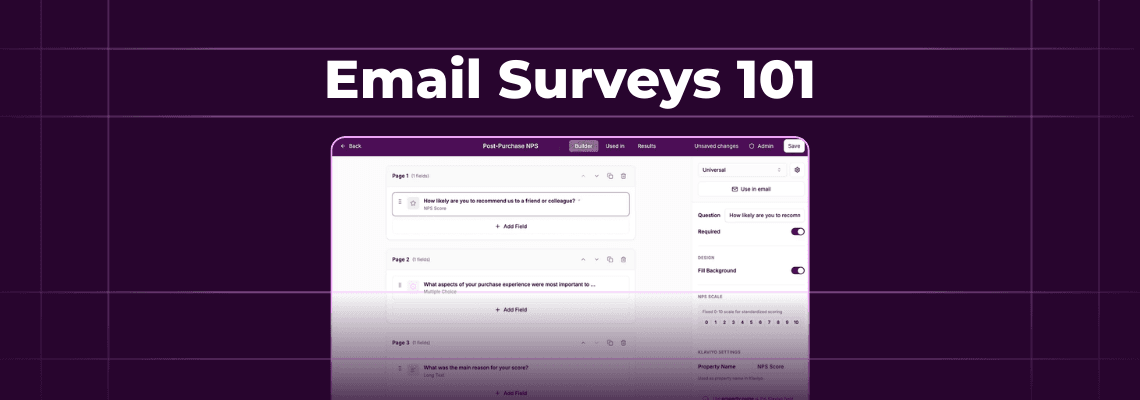
NPS works well in email because it starts with a single tap — pick a score from 0-10. That question alone gets 89% completion. Add one follow-up ("What's the main reason for your score?") and you're still at 78%. Trigger promoters into review request flows and detractors into service recovery. Two questions. Massive operational value.
Product feedback and re-engagement
Post-purchase product surveys ("How would you rate your recent order?") catch sentiment while it's fresh. Re-engagement surveys ("What would bring you back?") give lapsed subscribers a reason to interact before you sunset them. Both work well with 2-3 questions and multiple choice answers.
What Tools Can You Use for Email Surveys?
The right tool depends on what you need. Here's an honest breakdown.
Linked survey tools - Typeform, SurveyMonkey, Google Forms. Polished survey builders with branching logic, custom design, and hundreds of integrations. Best for complex surveys with 15+ questions.
Single-question embed - Alchemer, SurveyMonkey (limited). Embed the first question in email, redirect for the rest. A step up from pure links, but still relies on a landing page for most of the survey.
Full embedded surveys - Kinetic. Multi-question surveys that subscribers complete entirely inside the email. Best for question surveys where response rate and timing matters most. Responses sync to ESP profiles for immediate segmentation.
FAQs
What is the average response rate for email surveys?
The average email survey response rate is about 30%, but that number varies wildly by delivery method. Linked surveys (Typeform, SurveyMonkey) typically see 5-15% completion among email openers. Fully embedded in-email surveys hit 85-95% on 1-2 question forms and 65-75% on 3-4 questions. The method matters more than the channel.
Can you embed a full survey inside an email?
Yes. Interactive email technology (HTML/CSS for Apple Mail and AMP for Gmail) lets you embed multi-question surveys that subscribers complete entirely in their inbox. Kinetic is one platform that builds these forms. For most D2C email lists, 80%+ of subscribers see the fully interactive version, with a static fallback embed for clients like Outlook.
How many questions should an email survey have?
Three to five. Research shows 83% of people complete a 3-question survey, but that drops to 65% at 8 questions. For embedded in-email surveys, 1-2 questions hit 85-95% completion. The sweet spot for most ecommerce use cases (welcome preferences, NPS, product feedback) is 3-5 questions with multiple choice answers.
What's the difference between a linked survey and an embedded survey?
A linked survey sends subscribers to an external page (Typeform, SurveyMonkey, Google Forms) to complete the survey, where completion rates run 5-15%. An embedded survey renders inside the email itself, so subscribers tap answers without leaving their inbox. Embedded surveys remove the redirect that causes most drop-offs, producing higher response rates for the same questions and audience.