
How to Increase Survey Response Rate: 9 Tactics That Actually Work

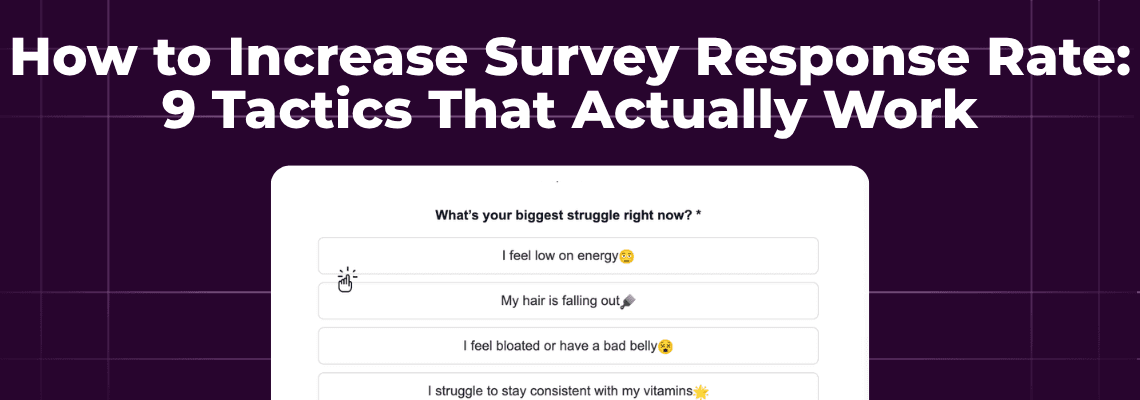
Most surveys die before anyone answers them.
Not because the questions are bad. Not because customers don't care. They die in the gap between clicking the email and loading the survey page.
Someone opens your email. They're interested enough to click. Then they wait for a landing page to load, see a form asking for five minutes of their time, and close the tab. Gone. You got the open. You got the click. You got nothing useful.
This is why average survey response rates hover around 10-15% for most brands. And it's why the standard advice (write better questions, offer incentives, send reminders) only gets you so far.
The real problem isn't your survey. It's the friction between the ask and the answer.
Interactive email content generates 73% higher click-to-open rates, according to Litmus. When you remove the step that loses people, more people complete the action. Simple math.
Here's what actually moves survey response rates. And the one tactic almost nobody talks about.
Inside this page
Share this
Summarize with AI
Key Takeaways
A good survey response rate is 5-30%, with 39%+ considered exceptional. Most eCommerce brands get 10-15% on post-purchase surveys, which means there's significant room to improve.
The biggest response killer isn't survey length or bad questions. It's the click to an external page. Every redirect loses respondents who were ready to answer.
Keep surveys under 5 questions. Each additional question after that drops completion rates by 5-10%. For quick feedback, one question works better than five.
Timing matters more than incentives. Surveys sent within 24-48 hours of purchase capture 40% more accurate feedback than those sent later.
Embedding surveys directly in email eliminates the landing page drop-off entirely. In-email forms see 2-3x higher response rates compared to traditional survey links.
What's a Good Survey Response Rate?
Let's set the baseline before talking tactics.
According to research from MemberClicks, a good survey response rate falls between 5-30%. Anything above 39% is exceptional. Most eCommerce brands see 10-15% on post-purchase and feedback surveys.
But those numbers need context.
Internal surveys (to your employees) typically see 30-40% response rates. External surveys (to customers) drop to 10-20%. The strength of your relationship with the recipient changes everything.
A brand new customer who bought once? Expect lower response rates. A loyalty program member who's purchased twelve times? Much higher.
The real question isn't "what's a good response rate" but "what's realistic for your audience, and how can you beat it?"
Why Survey Response Rates Are So Low
Before fixing the problem, understand why it exists.
The click-through tax. Every time you ask someone to leave their inbox and load a new page, you lose a percentage of them. Some won't click at all. Some will click but abandon when the page loads. Some will start the survey and never finish. Each step compounds the loss.
Survey fatigue is real. Your customers get surveyed by every brand they buy from. After the tenth "How was your experience?" email this month, they stop caring. The bar for earning a response keeps rising.
Bad timing kills engagement. A survey sent two weeks after purchase arrives when the experience is already fading. The customer might remember they bought something, but they don't remember enough to give useful feedback.
Mobile friction compounds everything. Most emails open on phones. If your survey isn't optimized for touch input on a small screen, completion rates tank. Nobody wants to pinch-zoom their way through a form.
9 Ways to Increase Survey Response Rate
Some of these you might have heard before. One of them you definitely haven't.
1. Embed the Survey in the Email
This is the tactic nobody talks about, and it's the most effective.
Instead of linking to an external survey, put the survey inside the email itself. The customer answers without leaving their inbox. No landing page. No new tab. No friction.
The math is simple: when you eliminate the biggest drop-off point, more people complete the survey.
In-email NPS surveys see response rates 2-3x higher than surveys that require a click-through. The difference is friction, pure and simple.
This used to require custom HTML and extensive testing. Tools like Kinetic make it much easier. The survey renders inside Gmail, Apple Mail, Yahoo, and other major clients. Recipients who can't see the interactive version get a fallback link.
2. Keep It Short (5 Questions Max)
Every additional question reduces completion rates. Research consistently shows a 5-10% drop per question after the first few.
Five questions is the maximum for most surveys. Three is better. One can be plenty.
Think about what you actually need. An NPS score? That's one question. Product satisfaction? One question. A preference that helps you segment? One question.
You don't need a 15-question survey to learn something useful. You need the right question asked at the right time.
3. Send at the Right Moment
Timing determines response rate more than most brands realize.
For post-purchase feedback, the window is 24-48 hours after delivery. The experience is fresh. The customer remembers details. They have opinions they haven't forgotten yet.
Qualtrics research shows surveys sent immediately after an experience capture 40% more accurate feedback than those sent later. Accuracy and response rate tend to move together. People respond when they have something real to say.
Wait two weeks and you're surveying memory, not experience. The feedback gets vague. The response rate drops.
4. Personalize the Request
Generic survey requests get generic response rates.
Adding personalization (the customer's name, a reference to their specific order, acknowledgment of their history with your brand) increases response rates by 48%, according to Qualtrics.
This doesn't mean fake personalization. "Hi [FIRST_NAME], we'd love your feedback!" isn't personal. It's a mail merge.
Real personalization: "You ordered the Blue Ceramic Mug last Tuesday. We'd love to know if it arrived in perfect condition."
The difference is specificity. When customers feel like you're talking to them rather than at them, they respond.
5. Offer an Incentive (But Be Careful)
Incentives work. A discount code, loyalty points, or entry into a giveaway will increase response rates.
But they come with tradeoffs.
Incentivized responses can skew your data. People respond for the reward, not because they have feedback. You get more responses, but the responses might be less thoughtful.
If you use incentives, make them small. A 10% discount code. 50 bonus loyalty points. A donation to charity on their behalf. Big incentives attract more people who don't actually care about giving feedback.
6. Send One Reminder
A single reminder email increases response rates by 36%, per Qualtrics.
Two reminders? Marginal additional lift. Three? You're annoying people.
The reminder should be short. "We noticed you haven't had a chance to share your feedback. It only takes 30 seconds." Include an interactive form or link to the survey. Done.
Don't nag. One reminder captures people who meant to respond but got distracted. More than that damages your relationship.
7. Optimize for Mobile
Over 60% of emails open on mobile devices. If your survey isn't built for phones, most of your audience will struggle with it.
Mobile optimization means:
Large touch targets (buttons big enough to tap without precision)
Single-column layouts
Rating scales that work with thumbs
Text inputs that don't require a keyboard
Pages that load fast on cellular connections
Test your survey on an actual phone before sending. What looks fine on desktop often breaks on mobile.
8. Explain Why It Matters
Tell customers what happens with their feedback.
"We use this to improve your next order." "Your response helps us stock products you actually want." "This survey directly shapes our return policy."
When customers understand that their response leads to action, they're more likely to respond. When surveys feel like they disappear into a void, why bother?
The explanation should be one sentence, not a paragraph. Brief and concrete beats long and vague.
9. Make the First Question Dead Simple
Survey drop-off peaks in the first 10 seconds. If the first question is hard (an open-text box asking for detailed feedback), many people close immediately.
Start with something that requires minimal thought:
A star rating
A simple multiple choice
A yes/no question
Build momentum before asking for effort. Once someone answers one easy question, they're more likely to continue.
The hardest questions (open-text responses) should come last, when the respondent is already invested.
The Biggest Mistake: Treating Email as a Link Delivery System
Most brands use email surveys the same way: write the ask, include a button, link to SurveyMonkey, Typeform or Google Forms.
The email's job becomes "get the click." The survey's job is "capture the response." And the gap between them is where responses go to die.
This made sense when email couldn't do more than link. But email capabilities have changed. The inbox isn't just a gateway to web pages anymore. It's a place where customers can take action.
Embedding forms directly in email eliminates the handoff entirely. The ask and the answer happen in the same place. No new tab. No loading screen. No "I'll do this later" that becomes never.
For more on capturing customer data without external pages, see our guide on zero-party data collection strategies.
FAQs
What is a good survey response rate?
A good survey response rate is typically 5-30%, with anything above 39% considered exceptional. For eCommerce post-purchase surveys, most brands see 10-15%. Internal surveys to employees tend to be higher (30-40%), while external customer surveys are lower. The strength of your relationship with the recipient significantly impacts response rates.
How many questions should a survey have?
Keep surveys to 5 questions or fewer. Each additional question beyond that reduces completion rates by 5-10%. For quick feedback like NPS or satisfaction scores, one question is often enough. Only ask for detailed open-text responses after establishing momentum with simpler questions.
When is the best time to send a survey?
For post-purchase surveys, send within 24-48 hours of delivery when the experience is fresh. Surveys sent immediately after an experience capture 40% more accurate feedback than those sent later. For other survey types, send at moments of natural engagement rather than arbitrary schedules.
How do I get more survey responses without incentives?
The most effective non-incentive tactic is reducing friction. Embed the survey directly in the email instead of linking to an external page. Keep it short (3-5 questions max). Personalize the request with specific details about the customer's experience. Send one reminder to people who haven't responded. And explain briefly what you'll do with the feedback.