
Shopify Forms: How to Add Forms to Your Store (2026 Guide)

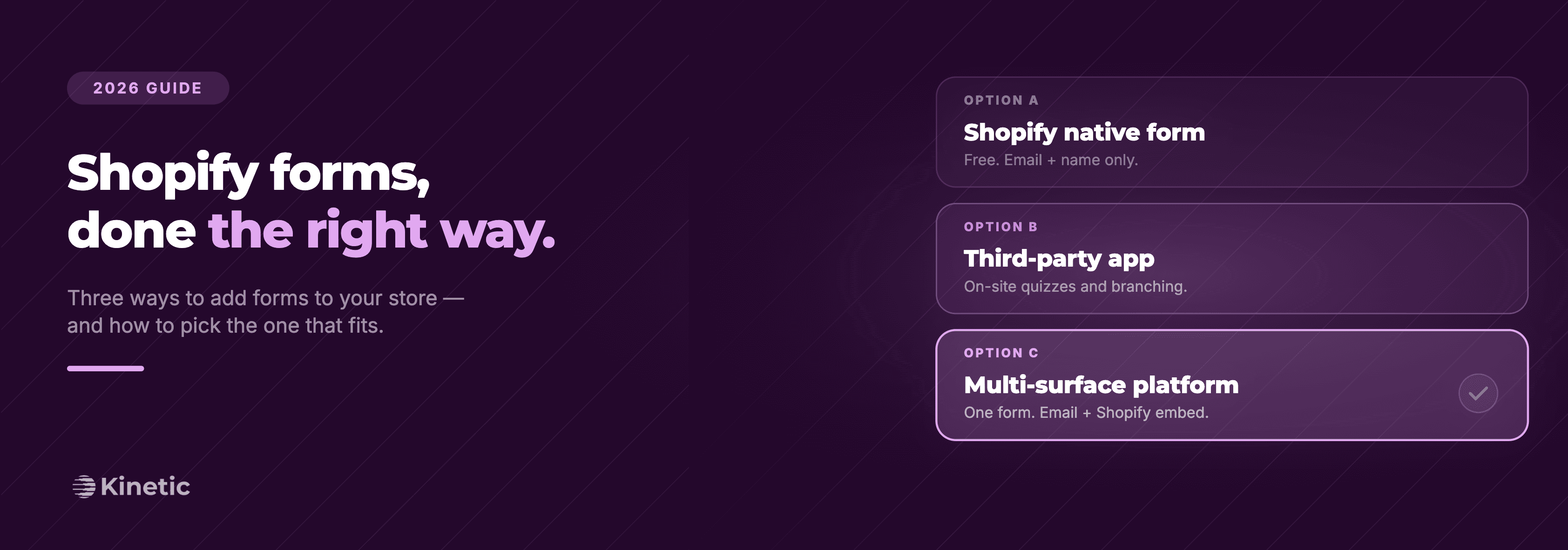
Search "shopify forms" and the results are a mess. Shopify's own free Forms app. A wall of form builders to choose from in the App Store. Forum threads about hacking the contact form with Liquid.
So which one do you actually need? Depends on what the form is for, where it has to live, and whether the responses need to flow into other tools like Klaviyo without a five-step Zapier workflow.
This guide covers every real way to add a form to a Shopify store right now: the native app, third-party form builders, custom Liquid, and multi-surface form platforms. Honest comparisons, the tradeoffs to keep in mind, and a short decision framework so you can pick what is best for your use case and move on.
Inside this page
Share this
Summarize with AI
Key Takeaways
"Shopify forms" can mean four different things: Shopify's free native Forms app, a third-party storefront-first form builder, a custom Liquid form, or a multi-surface form platform that runs the same form across storefront and email.
The native Shopify Forms app is fine for basic email capture and contact, but can't place forms on product pages, doesn't do conditional logic, and has limited field types.
Third-party form builders (Hulk, POWR, Powerful Form Builder, Jotform) are the right call for custom contact, wholesale, registration, and order forms that only need to live on the storefront.
Multi-surface form platforms (Kinetic, Typeform) are the right call when the same form needs to live on the storefront and inside marketing emails, when responses need to sync to your ESP as profile properties, or when the form powers a product recommendation quiz.
Pick your tool based on where the form needs to live, how complex it is, and where the response data needs to flow. Not on App Store review counts.
What does "Shopify forms" actually mean?
"Shopify forms" is one phrase that points at four different things. It can mean Shopify's free native Forms app, a paid third-party form builder app from the App Store, a custom HTML form coded into your theme with Liquid, or a form built in a multi-surface platform like Kinetic or Typeform that gets dropped onto your store via an embed.
These all do roughly the same job. They collect information from a visitor or customer. But they live in different places, have different capabilities, and integrate with your stack in very different ways.
Here's the four-way breakdown:
Native Shopify Forms app: free, made by Shopify, basic contact and email signup forms with optional discount triggers
Third-party form-builder apps: Hulk, POWR, Powerful Form Builder, Jotform, and dozens more. Storefront-first paid apps, more flexible than the native option, varying quality
Custom Liquid forms: hand-coded into your theme using the
{% form %}tag, full control, requires a developerMulti-surface form platforms: Kinetic, Typeform, Tally, and similar. Built in another platform then dropped onto your store via a script tag or app block. Offer multiple ways to utilize your forms (Kinetic: as an interactive email, Typeform: a dedicated landing page)
A fair question at this point: aren't options 2 and 4 the same thing? Mechanically, kind of. Both are third-party tools you install on Shopify and both render via a script or theme app block. The distinction worth noting isn't how they get on the page, it's where else the form can live and how the response data flows. Many form builder apps are storefront-first; submissions usually land in your email inbox, your customer notes, or your ESP via Zapier. Multi-surface platforms run the same form across storefront and email (or other channels), and responses sync to your ESP as profile properties, not just an email address.
The right answer depends on where the form needs to live, how complex it gets, and what you do with the responses afterward. Let's take a look at each one.
Does Shopify have a built-in form?
Yes. Shopify ships a free native app called Shopify Forms that handles two basic jobs: collecting email addresses for marketing, and receiving contact submissions. You can install it from the Shopify App Store at no cost. It currently sits at 4.4 stars across 621 reviews.
The native Forms app is fine for what it does. You can build a popup, an inline signup block, or an overlay. You can trigger them by intent or timing. You can add a discount code to the confirmation. Responses sync to Shopify's customer list and into Shopify Email if you use it.
But it's basic, and Shopify is honest about that. The fields are limited. There's no quiz logic. No conditional branching. You can't drop a custom form onto a specific product page. You can't customize the contact form much beyond what your theme exposes.
Worth knowing if you're considering it: a recent pattern in the Shopify Forms App Store reviews is users reporting that submission notifications fire sporadically or not at all, which means form submissions can sit unnoticed for weeks. If notifications matter for your team (wholesale leads, custom requests), build a backup workflow or pick a tool with stronger notification reliability.
For a brand that needs basic email capture and nothing else, Shopify Forms is enough. For anything more, you'll outgrow it pretty quickly.
Three ways to add a form to your Shopify store
Once you've decided the native app isn't enough, you have three real options. Here's how they stack up:
Native Shopify Forms | Third-party form app | Multi-surface platform | |
|---|---|---|---|
Cost | Free | $5–$50/month, sometimes more | Varies (free tiers exist) |
Placement | Popup, overlay, inline signup | Most theme placements, varies by app | Anywhere a script or block can go |
Customization | Low | Medium to high | High |
Field types | Basic (email, text, dropdown) | Wide range, varies by tool | Wide range, varies by tool |
Conditional logic | None | Basic, app-dependent | Deep conditional logic |
Klaviyo integration | Via Shopify sync | Varies, often requires Zapier | Native in some tools, none in others |
Lives in email too? | No | No | Only if the platform supports it (e.g. Kinetic) |
Best for | Basic email capture | Contact, custom, wholesale, registration | Quiz funnels, multi-surface forms, deeper personalisation |
Each has a real use case. If you only need an email popup on an early-stage store, use the native app. If you need a custom contact form, a wholesale order form, or a registration form with extra fields, you'll want a third-party builder. And if the form needs to do more than a basic capture (a product recommendation quiz funnel, say, or something that lives both on the storefront and inside a marketing email), you want to be looking at a multi-surface platform.
The most common Shopify form types (and where each one belongs)
Different forms, different homes. Here's where each common Shopify form type tends to live, and which option fits best.
Contact form
Every Shopify theme ships with a basic contact form on the /pages/contact template. It's a Liquid form with name, email, phone, and message fields. For most stores, that's enough. If you need to customize the fields (add a dropdown for "what's this about?", route by topic, attach an order number), you'll need a third-party form builder or a developer to extend the Liquid.
Newsletter signup popup
This is what the native Shopify Forms app was built for. If you only need a clean email capture popup with a discount trigger, Shopify Forms is genuinely the simplest option. If you need branching logic, a multi-step popup, or to capture zero-party data (preferences, sizes, shopping intent) at the same time, look at a multi-surface platform. Same applies if you also want to ask the same questions inside your marketing emails via in-email forms.
Product-page form
Want a "notify me when back in stock" form on a specific PDP? A custom request form on a configurable product? An embedded quiz that shows on a category page? The native Forms app can't help here. You need either a third-party app block that supports product-page placement, or a multi-surface form platform that drops in via a script tag or Liquid code snippet section.
Product recommendation quiz
A multi-step quiz that asks 4-7 questions, scores responses against your catalog, and recommends specific products is doing something a contact form was never intended for. It needs conditional logic, product scoring, and a way to surface the right SKUs at the end. For a deeper look at which brands build these, see our guide on Shopify quiz apps and how to build a product recommendation quiz.
Wholesale or B2B order form
A wholesale order form needs gated access, bulk quantity inputs, and often custom pricing logic. A general form builder usually isn't enough. There are dedicated wholesale apps (Wholesale Hub, B2B Login & Lock) for this. If your needs are simpler (just a "request wholesale access" form), a custom form builder works fine.
How do I create a form on Shopify?
Three paths, depending on which option you picked.
Path 1: Install the native Shopify Forms app. Go to the Shopify App Store, find Shopify Forms, and click Install. From your admin, open the app, choose a template (popup, inline, or overlay), drag the fields you want, set the trigger, and publish. Forms go live on your storefront within seconds. Submissions land in your customer list and (if connected) Shopify Email.
Path 2: Install a third-party form builder. Search the App Store and you'll a lot of results. Most stores end up trying Hulk Form Builder, POWR, Powerful Form Builder, or Jotform. The install flow is the same: install, configure your form in the app dashboard, then either embed via a code snippet or add via a theme app block in the editor. Watch out for: pricing tiers (the cheap plan might lock the fields you actually need), and Klaviyo/CRM integration (some require Zapier or custom connectors).
Path 3: Custom Liquid form. If you want full control and no app, you can hand-code a form using Shopify's {% form %} Liquid tag. The official Liquid form tag docs cover the syntax. A barebones contact form looks like this:
Submissions email to your store contact address. Works fine for simple needs. Not the right move if you need anything dynamic.
Can you add a form to a Shopify product page?
Yes, but not with the native Shopify Forms app. The native app doesn't support product-page placement. To put a form on a specific PDP you need either a third-party form builder that ships an app block (most of the bigger ones do), or a multi-surface platform pulled in via a script tag or Liquid section.
A product-page form opens up real use cases. A "notify me when back in stock" capture. A "build your own bundle" configurator. A pre-purchase quiz that recommends the right SKU. A custom order request for personalized products. Each of these needs conditional logic and a way to tie the response back to the product the visitor was viewing, which most basic form builders struggle with.
How to choose: native, app, or platform?
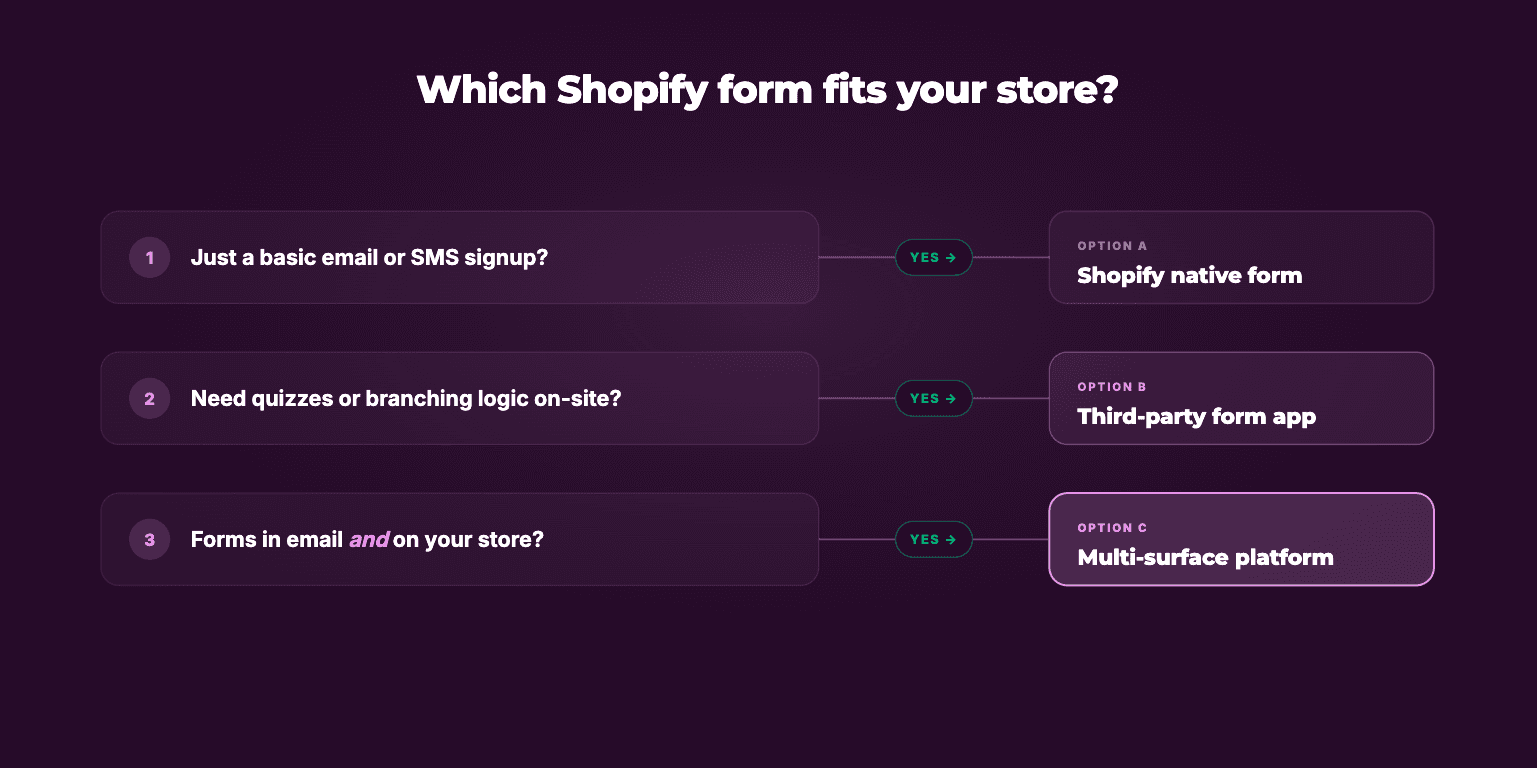
A short decision framework. Run through it in order.
1. Where does the form need to live?
Just a popup or basic signup → native Shopify Forms app, done
A specific page (product, custom landing, post-purchase email) → third-party form-builder app or multi-surface platform
Multiple surfaces (storefront AND email) → multi-surface platform
2. How complex is the form?
1-3 fields, no branching → native app or simple form builder
Conditional logic, multiple steps, scoring → multi-surface platform or a quiz-specific app
Wholesale/B2B with pricing logic → dedicated wholesale app
3. Where do responses need to go?
Shopify customer list only → native app
Klaviyo, with response data syncing to profile properties → multi-surface platform with native Klaviyo integration, or a form app + Zapier
Multiple destinations → multi-surface platform
4. Who's building it?
Marketer, no dev → native app or no-code form builder
Designer, some flexibility needed → form builder with theme blocks
Dev team with full control → custom Liquid or any platform with a script-tag embed
If you land on "multi-surface platform" more than once, that's a strong signal it's the right category for this form.
Most Shopify teams have run the same painful loop: popup conversion rates flatten, post-purchase survey responses fall off a cliff, and the data you do collect ends up in three places that don't talk to each other. The fix is usually less about the form itself and more about where you ask. People answer questions inside the email they already opened. They answer questions on the product page they're already on. Kinetic is built for that: one form that runs on the Shopify storefront with deep conditional logic, runs inside marketing emails with conditional end screens, scores answers against your catalog for quiz funnels, and pushes everything back to a single Klaviyo profile. If you're tired of stitching tools together, have a peek at Kinetic.
What's the best Shopify form app?
There isn't one. There's a best app for your use case, which is different. Here's an honest read on the most common choices in the App Store.
Shopify Forms (native). Free, basic, made by Shopify. Best for: stores that just need an email popup or basic contact form and nothing else.
Hulk Form Builder. Cheap, has a free tier, dated UX. Best for: simple custom contact forms, registration forms, basic surveys when budget matters more than design or advanced features.
POWR Form Builder. Big feature surface, lots of templates, tendency toward bloat. Best for: stores that want a one-stop builder for contact, registration, surveys, and order forms in one app.
Powerful Form Builder. Solid middle ground. Reliable for custom contact and order forms with cleaner UI than Hulk.
Kinetic. Best when forms need to live on the Shopify storefront and inside marketing emails, with responses unified to one Klaviyo profile. Deep conditional logic on the storefront, conditional end screens in email, product scoring for quiz funnels with product recommendations.
Jotform. Overkill for most Shopify needs but excellent if you already use Jotform across your business and want consistency. Heavy embed, can slow page load.
Typeform. Best in class for branching surveys with great UX, but redirects users off your site unless you embed it (and the embed UX isn't as clean as native).
So which one do you pick?
Shopify forms aren't really one thing. They're a string of small decisions: native or third-party, simple or branching, one surface or several, built by a marketer or by a dev.
Most stores end up running two or three options at once, but this can get cumbersome and difficult to oversee.
Picking wrong isn't fatal. You can swap form tools without breaking your store. But you can save yourself a quarter of busywork by being honest and up front about what each form actually needs to do.
If your forms already need to live in more than one place, Kinetic is worth a look.
FAQs
How do I create a form on Shopify?
You have three paths: install the free native Shopify Forms app for basic popups and signups, install a third-party form builder from the App Store for custom contact or order forms, or hand-code a form using Shopify's {% form %} Liquid tag for full control. Marketers should start with the first two; developers can use the Liquid route.
Does Shopify have a built-in form app?
Yes. Shopify ships a free native app called Shopify Forms that handles email capture popups, inline signup forms, and overlays. It integrates with Shopify Email and the customer list. It's basic by design (no conditional logic, limited fields, no product-page placement), but it's the right starting point for stores that only need email capture.
Can I add a custom form to a Shopify product page?
Yes, but not with the native Shopify Forms app. You need a third-party form builder that supports theme app blocks (most of the bigger ones do) or a multi-surface form platform added via a script tag or Liquid section. Common product-page use cases include "notify when back in stock," product configurators, and pre-purchase recommendation quizzes.
How do I customize the Shopify contact form?
Every Shopify theme includes a basic contact form built with the {% form 'contact' %} Liquid tag. To add or change fields, you can either edit the Liquid directly in your theme (developer required) or replace the default form with a third-party form builder that ships a contact form template you can fully configure.
What's the best Shopify form builder?
There isn't a single best one. It depends on what the form does. Use the native Shopify Forms app for basic email capture, Hulk or POWR for custom contact and order forms, Typeform when survey UX matters most, and a multi-surface platform like Kinetic when the form needs to live on both the storefront and inside marketing emails with unified Klaviyo data.