
Shopify Post Purchase Survey: How to Get Answers That Actually Matter

You just got a sale. Great news! The bad news? You probably have no idea why they bought, what almost stopped them, or what they'll buy next.
A Shopify post purchase survey fixes that. It captures customer insights at the exact moment someone is most willing to talk: right after they've handed you their money. And when you pair surveys with product recommendation quizzes in your follow-up emails, that data starts driving the next purchase too.
This guide covers the best questions to ask, when to send each type of survey, where to put them (thank-you page vs. email vs. both), and how product quizzes turn one-time buyers into repeat customers.
Inside this page
Share this
Summarize with AI
Key Takeaways
Thank-you page post purchase surveys hit 50%+ response rates; email surveys average 3.24%. Use both for different types of questions.
Start with "How did you hear about us?" for attribution data that fills the gaps your analytics tools miss, especially post-iOS privacy changes.
Match your question to the moment: attribution at checkout, shipping feedback post-delivery, NPS after 30 days.
Product recommendation quizzes in post-purchase emails drive repeat purchases, with ecommerce quizzes converting at 37.6% start-to-lead (per Interact's 80M+ lead dataset).
Keep surveys to 1-3 questions per touchpoint. More questions means fewer completions.
What Is a Shopify Post Purchase Survey?
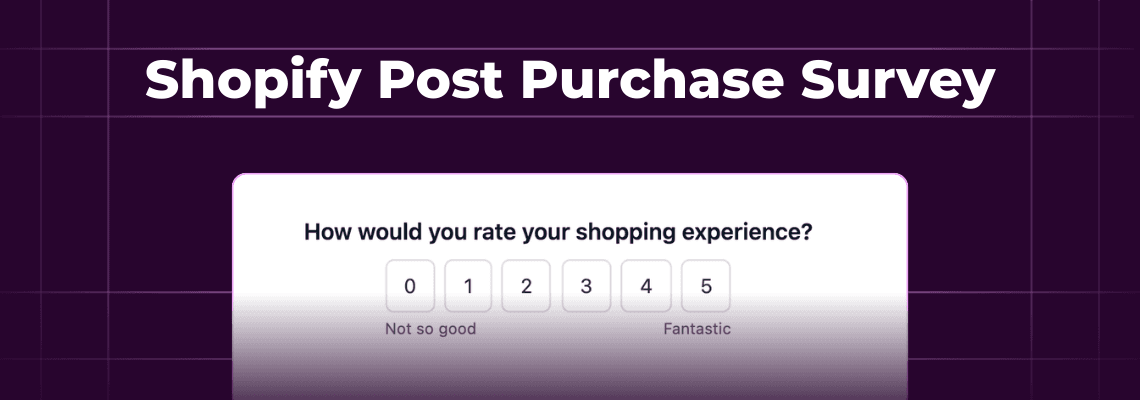
A Shopify post purchase survey is a short set of questions shown to customers after they complete a purchase. It usually appears on the thank-you page, in a follow-up email, or both. The goal is to collect feedback, attribution data, and customer preferences while the buying experience is still fresh.
You've probably seen one yourself. That "How did you hear about us?" dropdown right after checkout? That's a post purchase survey doing its thing.
But the format goes well beyond that single question. Shopify merchants use post purchase surveys for attribution tracking, customer satisfaction scores, NPS ratings, product feedback, and personalization data like skin type or sizing preferences. Some brands also use product quizzes in post-purchase emails to recommend follow-up products based on what someone just bought.
The point is the same across all of them: you're catching people at a moment when they're engaged and willing to share.
Why Post Purchase Surveys Work Better Than You'd Think
Let's talk numbers. Thank-you page surveys routinely hit 50%+ completion rates, according to Okendo's lifecycle survey research. Compare that to email surveys, where the average response rate across 600 ecommerce brands and 25 million survey invitations was just 3.24% in 2025, per Retently's annual response rate study.
That gap is wild. But it makes sense. On the thank-you page, your customer is already on your site, already feeling good (they just bought something), and the survey is one click away.
Response rates aren't the whole story though.
The real value of post purchase surveys is the type of data you collect. This is zero-party data: information your customers give you directly, on purpose, because you asked. It's not inferred from browsing behavior or scraped from a third-party cookie. It's self-reported and specific.
And that matters more now than it did two years ago. Since Apple's iOS privacy changes, ad platform attribution has gotten murkier every year. A "how did you hear about us" survey won't replace your analytics stack, but it fills gaps that UTM parameters and last-click models can't. Eastern Standard Provisions found through their post purchase surveys that 38% of their customers came from paid social. That's the kind of data that changes how you spend your ad budget.
7 Questions Your Post Purchase Survey Should Ask
Not all survey questions pull their weight. Some generate data you'll actually use. Others just sit in a spreadsheet until the end of time. Here are seven worth asking.
1. "How did you hear about us?"
The most popular post purchase survey question, and for good reason. It captures attribution data straight from the customer's mouth. Particularly useful for tracking channels that analytics tools miss: podcasts, word of mouth, TikTok videos, influencer mentions.
The play: Compare self-reported attribution against your ad platform data. You'll often find big discrepancies. Use the survey data to adjust budget allocation toward channels that are driving purchases but getting no credit in your dashboards.
2. "Who are you shopping for?"
Simple question. Huge implications. Knowing whether someone bought for themselves, a partner, a parent, or a child changes everything about how you follow up. A gift buyer and a self-buyer should get completely different post-purchase email flows.
The play: Create Klaviyo segments based on the response. Send gift buyers a "they'll also love..." email. Send self-buyers a replenishment or cross-sell sequence.
3. "What almost stopped you from buying today?"
This one stings a little. But it's gold. The answers reveal friction points on your site that you'd never catch in analytics. Shipping cost concerns, unclear sizing, trust issues, confusing product options.
The play: Aggregate the top objections and fix them. If 30% of buyers say "I wasn't sure about the size," your PDP needs better sizing info. If "shipping cost" comes up repeatedly, test a free shipping threshold.
4. "How would you rate your purchase experience?"
A quick 1-5 star rating or CSAT question. Don't overthink this one. It gives you a baseline satisfaction metric you can track over time and compare across campaigns or product launches.
Then: Flag anyone who rates 3 or below for a personal follow-up email. Route high-raters toward a review request flow.
5. "What products would you like to see from us next?"
Let your customers tell you what to build next. This works really well for brands with a seasonal or evolving product line. Free product research, basically.
Then: Feed answers into your product development process. If 40% of buyers want a specific flavor, color, or category, you've got a validated demand signal before you spend a dollar on development.
6. "How likely are you to recommend us to a friend?" (NPS)
The classic Net Promoter Score question on a 0-10 scale. It's been around forever because it works as a high-level loyalty indicator. Just don't make it your only survey question. NPS tells you the temperature, not the diagnosis.
Then: Segment promoters (9-10) for referral programs and review requests. Follow up with detractors (0-6) to understand what went wrong. Track your score monthly.
7. "What's your [skin type / hair type / size / preference]?"
This is where post purchase surveys cross into personalization territory. Collecting product-specific preferences lets you recommend the right products in future emails and avoid suggesting things they'll never want.
The play: Sync responses to customer profiles in your ESP. Use them to power dynamic content blocks and targeted product recommendations.
When to Send Each Type of Survey
Timing changes everything. Ask the wrong question at the wrong moment and you'll get garbage data or no response at all. Here's a breakdown based on the post-purchase survey timing framework from Okendo:
Timing | Best Questions | Why This Window |
|---|---|---|
Immediately (thank-you page) | "How did you hear about us?", quick CSAT | Customer is engaged and on your site right now |
2-3 days post-delivery | Shipping feedback, unboxing experience | The delivery is fresh in their mind |
1-2 weeks after delivery | Product satisfaction, review request | They've had time to actually use the product |
30+ days | NPS, loyalty, "would you buy again?" | Enough time to form a real opinion about your brand |
The biggest mistake here is front-loading everything. Don't ask for an NPS score on the thank-you page. They haven't even received the product yet.
Thank-You Page vs. Email: Where Should Your Survey Live?
Both. That's the short answer. But they serve different purposes.
Thank-you page surveys are hard to beat on response rates. You're catching customers right after they've committed to a purchase, and the survey loads without any extra clicks. Most Shopify survey apps like Fairing and Grapevine place surveys here. If you only do one thing, start here.
But thank-you page surveys have limits. You get one shot at one moment. You can't time a survey to product delivery. And you'll miss anyone who closes the tab before the page fully loads.
Email surveys give you timing flexibility. You can send a satisfaction survey a week after delivery, an NPS survey after 30 days, or a product quiz that recommends their next purchase. The tradeoff: lower response rates. That 3.24% email survey average from Retently's 2025 study isn't great, and it counts total invitations sent, not just opens.
Here's where the format matters. That 3.24% number is for surveys that link out to an external page. When you embed the survey directly inside the email so customers can answer without leaving their inbox, response rates jump. Kinetic's in-email forms see up to 3x higher completion rates than link-out surveys, because you've eliminated the biggest barrier: the click.
The best setup: Use a thank-you page survey for attribution (question 1 from the list above). Then use email surveys for everything that's timing-dependent: delivery feedback, product satisfaction, NPS, and product recommendation quizzes.
Beyond Surveys: Product Quizzes That Drive Repeat Purchases
So here's where most Shopify post purchase survey guides stop. They cover the feedback questions, the NPS scores, the attribution data. All useful stuff. But they miss the biggest opportunity sitting in your post-purchase emails.
A product recommendation quiz in a post-purchase email collects data and drives the next sale at the same time.
Here's how it works: a customer buys a moisturizer from your Shopify store. A week later, they get an email with a short product quiz. "What's your biggest skin concern?" "Do you prefer lightweight or rich textures?" Based on their answers, the quiz recommends a serum or eye cream from your catalog.
The conversion numbers on these are kind of absurd. According to Interact's quiz conversion report, which analyzed over 80 million leads since 2013, product quizzes convert at a 40.1% start-to-lead rate. Even broken down by industry, ecommerce quizzes still convert at 37.6%.
When you compare that to the 2-3% average ecommerce site conversion rate, you can see why brands are building quizzes into their post-purchase flows.
And every answer feeds your customer profiles. When a quiz response syncs to Klaviyo as a profile property, you can use it to personalize every future email. Skin type, flavor preference, activity level, whatever you asked. That data compounds over time.
How to Set Up a Shopify Post Purchase Survey
Let's get practical. You've got three main options, depending on where you want the survey to live.
Option 1: Thank-you page survey app
This is the fastest path. Install a Shopify app and you'll have a survey on your order confirmation page within an hour.
Popular options:
**Fairing:** Strong on attribution surveys. Good analytics and reporting. Popular with DTC brands focused on "how did you hear about us" data.
**Grapevine:** Unlimited responses at a flat price. Good if you have high order volume and don't want per-response pricing.
**Zigpoll:** Broader survey platform that handles post-purchase plus on-site and email surveys in one tool.
Each takes about 15 minutes to set up. Pick one based on whether you care most about attribution depth, pricing model, or multi-channel coverage.
Option 2: Email survey with a link-out
If you're using Klaviyo (or any ESP), you can add a survey link to your post-purchase flow emails. Tools like Typeform or SurveyMonkey host the survey, and you drop the link into your email template.
Pros: Works with any email platform. No Shopify app needed. Cons: Every click is a chance to lose someone. Your customers leave their inbox, load a new page, potentially get distracted. That's why link-out email surveys average around 3% response rates.
Option 3: In-email interactive survey
Instead of linking out, you embed the survey directly inside the email. Customers answer questions without leaving their inbox. Kinetic does this for Klaviyo users with Shopify stores: you build the survey or product quiz in a drag-and-drop builder, connect your Shopify product catalog for recommendation quizzes, and responses sync to Klaviyo profiles automatically.
This option works in Apple Mail natively (HTML/CSS) and in Gmail via AMP, with a static fallback for other clients. If most of your list is on those two clients (and for most DTC brands, it is), the majority of your subscribers get the interactive version.
5 Mistakes That Tank Your Survey Response Rates
1. Asking too many questions
Keep it to 1-3 questions max. Every extra question drops your response rate. You can always ask more questions in a later email.
2. Wrong timing
Sending an NPS survey 10 minutes after someone clicks "buy" makes no sense. They haven't used the product. Same goes for asking about shipping before the package arrives. Match the question to the moment (use the timing table above).
3. No incentive
A 10% off code or loyalty points for completing a survey makes a real difference. You don't need to offer a huge discount. Even a small reward signals that you value their time.
4. Vague questions that don't inform decisions
"How was your experience?" is too broad to act on. "What almost stopped you from buying?" gives you something specific to fix. Every question should have a clear action you'll take based on the answers.
5. Collecting data and never using it
This is the big one. Brands run surveys for months, pile up thousands of responses, and never change anything based on the results. If you're not going to act on the data, save everyone the trouble and don't ask. Your customers will notice the lack of follow-through eventually.
You don't need to overcomplicate this
Start with one question on your thank-you page. "How did you hear about us?" is the easiest win with the clearest payoff. Then build from there: add a product satisfaction survey a week post-delivery, and a product recommendation quiz to your cross-sell emails.
The Shopify merchants who get the most from post purchase surveys aren't the ones asking the most questions. They're the ones who ask the right questions at the right time, and actually do something with the answers.
If you want to put your surveys and product quizzes directly inside your emails (instead of linking out), Kinetic makes that pretty straightforward.
FAQs
What is the best Shopify post purchase survey app?
It depends on what you need most. Fairing is strong for attribution surveys and analytics. Grapevine offers unlimited responses at a flat rate, which suits high-volume stores. Zigpoll covers post-purchase, on-site, and email surveys in one platform. For surveys embedded directly inside emails, Kinetic works with Klaviyo and connects to your Shopify product catalog. Start with a thank-you page app if you want quick results, and add email surveys later for timing-dependent questions.
How many questions should a post purchase survey have?
One to three questions per survey. Research from Okendo shows that short "micro-surveys" of 1-3 questions get the best completion rates. You can ask different questions at different stages (thank-you page, post-delivery, 30 days out) instead of cramming everything into one long survey. Each question should have a clear action tied to it. If you don't know what you'll do with the answer, don't ask it.
Can you embed a survey directly inside an email?
Yes. Instead of linking customers to an external survey page, tools like Kinetic let you embed interactive survey forms right inside Klaviyo emails. Customers answer without leaving their inbox, which removes the biggest barrier to survey completion. This works natively in Apple Mail (using HTML and CSS) and in Gmail (via AMP), with a static fallback image for other email clients. In-email surveys see up to 3x higher completion rates than link-out alternatives.
What is a product recommendation quiz?
A product recommendation quiz asks customers a series of questions about their preferences, needs, or goals, then suggests specific products from your catalog based on their answers. In a post-purchase context, you'd send this in a follow-up email to help customers find their next product. For example, a skincare brand might ask about skin concerns and texture preferences, then recommend a serum or moisturizer. Quiz answers also sync to your ESP as profile properties, powering future personalization and segmentation.